The Agent Layer: How AI Coding Tools Actually Work
Part 3 of “The Anatomy of Agentic Coding Systems,” a series breaking down how AI coding tools actually work.
When you type a prompt into Claude Code and it edits five files, runs tests, and fixes a bug, what actually happened?
Most developers have a vague sense that “the AI figured it out.” But between your prompt and the working fix, a specific piece of machinery did the work. Not the model - that just generates text. Not the harness - that enforces rules and verification. The agent layer - the execution loop, the tools, the context management - turned a language model’s text predictions into real actions on your codebase.
This is what most people think of when they say “AI coding tool.” And understanding how it works changes how you use these tools.
The agent loop: a while loop that changed software
Every agentic coding tool runs some variation of the same core pattern. The academic name is ReAct (Reasoning + Acting), introduced by Yao et al. in 2022. The insight: language models perform dramatically better when they alternate between thinking and doing rather than trying to solve everything in one shot.
Here’s the pattern:
def agent_loop(user_prompt, tools, model):
    messages = [system_prompt, user_prompt]

    while True:
        response = model.generate(messages)

        if response.has_tool_calls():
            for tool_call in response.tool_calls:
                result = execute_tool(tool_call, tools)
                messages.append(tool_call)
                messages.append(result)
        else:
            return response.text  # No tools called, done
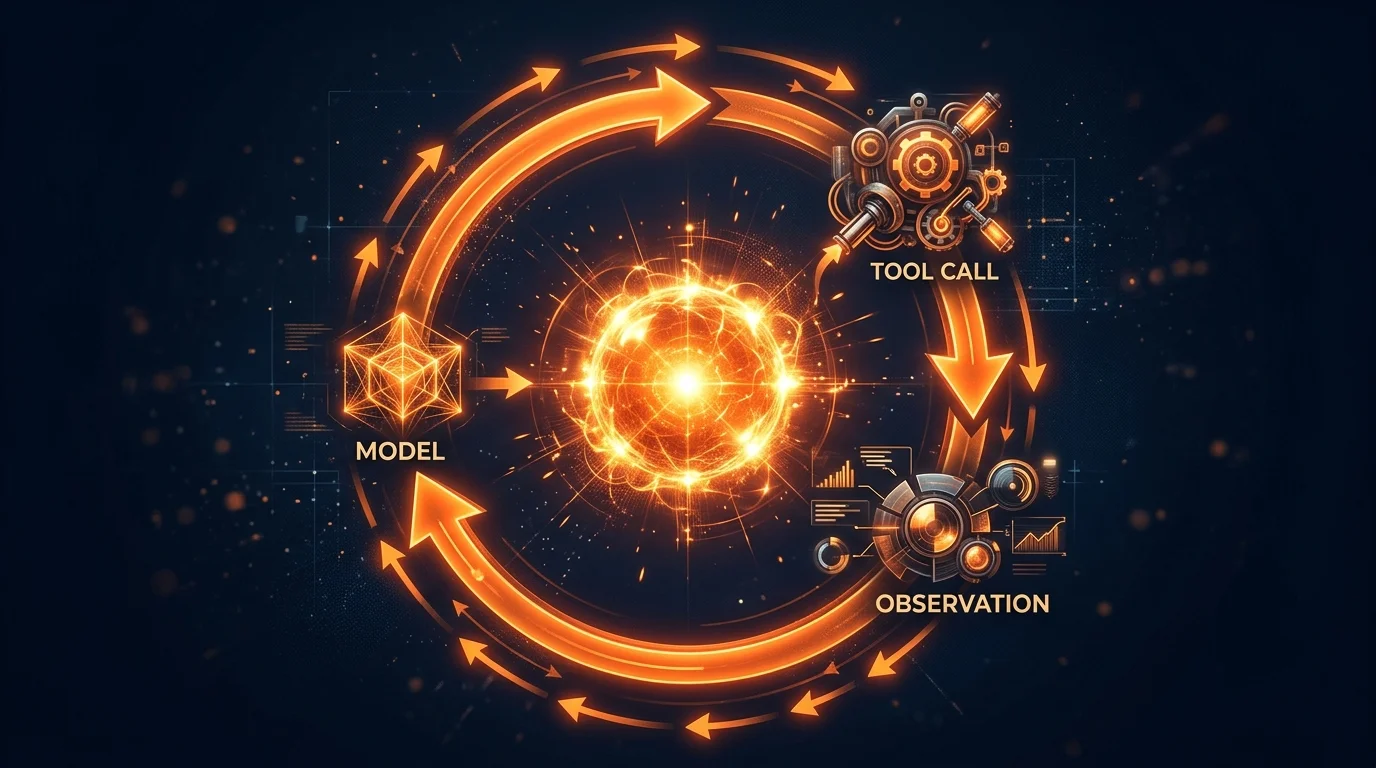
The model receives messages, decides whether to call a tool or respond with text. If it called a tool, the result gets appended to the conversation and the model is called again. Loop terminates when the model produces a plain text response with no tool calls.
This pseudocode is not an oversimplification. Claude Code’s architecture, what they internally call a “single-threaded master loop”, genuinely works this way. One flat message history. No branching conversation threads. No multi-agent swarm. Just a while loop calling a model, executing tools, and feeding results back in.
When you tell it “fix the failing tests in auth.ts,” the agent runs the tests, reads the failures, reads the source, makes an edit, runs the tests again, and reports back. Six turns. Six model calls. Each turn, the model sees everything that came before and decides what to do next. No pre-planned sequence. No hardcoded workflow. The model chose each step based on what it learned from the previous step.
Anthropic draws this distinction explicitly in their “Building Effective Agents” guide: workflows orchestrate LLMs through predefined code paths, while agents let LLMs dynamically direct their own processes and tool usage. The agent loop is what makes the second pattern possible.
How different tools implement the loop
The core pattern is universal. The implementations diverge in interesting ways.
Claude Code runs the purest version: one flat message history, model decides everything. A “dual-buffer queue” lets you inject new instructions while the agent is working, but the loop stays single-threaded.
Cursor wraps the loop inside its Composer, a mixture-of-experts model trained with reinforcement learning specifically for agentic coding. They run many agent rollouts in parallel during training, scoring which tool-calling strategies work better. The result is 4x faster than similarly intelligent models at tool-calling work. Cursor 2.0 adds multi-agent coordination with isolated git worktrees.
GitHub Copilot’s coding agent runs the loop in a GitHub Actions runner, not your local machine. You assign an issue to Copilot, it spins up a cloud VM, and pushes commits to a draft PR. They also streamlined tool routing from 40+ tools to 13 using embedding-guided selection, a concrete example of less-is-more in tool design.
Aider integrates the loop tightly with git. Every edit gets automatically committed. It builds a “repository map” of your entire codebase using tree-sitter parsing and graph ranking, giving the model a compressed view of file names, function signatures, and dependencies.
Gemini CLI uses an event-driven scheduler with isolated tool registries per agent instance. It leans on Gemini 3.1 Pro’s full 1M-token context to hold large amounts of code without sophisticated retrieval.
Same ReAct pattern, five very different implementations.
Tool use: the bridge between thinking and doing
A model without tools is a very expensive text generator. When the model decides to take an action, it doesn’t actually do anything. It generates structured JSON that says “I want to call this tool with these arguments.” The agent layer intercepts that output, executes the real operation, and feeds the result back. The model never touches your filesystem, never runs a command. The agent layer does all of that on the model’s behalf.
How models choose tools
This surprises most developers: tool selection is prompt engineering.
When the agent starts, every available tool’s definition, its name, description, and parameter schema, gets injected into the model’s context. The model reads these the same way it reads any other text and decides which tool fits the current situation.
This matters because tool descriptions aren’t metadata. They’re instructions that directly control behavior. Anthropic’s context engineering guide makes the point: “If a human engineer can’t definitively say which tool should be used…an AI agent can’t be expected to do better.”
When you’re building MCP servers or custom tools, the description text is the interface. A description that says “edits files” versus one that says “performs exact string replacements; you must use Read first; the edit will fail if old_string is not unique” produces completely different model behavior.
MCP: the universal tool connector
Before MCP (Model Context Protocol), every tool integration was custom. Want GitHub access? Build a GitHub integration. Want Slack? Build a Slack integration. Every agent needed its own connectors for every service.
MCP, introduced by Anthropic in November 2024, standardized this. An MCP server exposes tools through a common protocol. Any MCP-compatible agent can use them without custom code. As of March 2026, MCP has hit 97 million monthly SDK downloads with 5,800+ community and enterprise servers. It’s now natively supported by Anthropic, OpenAI, Google, and Microsoft.
But tool definitions consume context. Anthropic’s internal testing found that 58 tools could consume approximately 55,000 tokens just in definitions, before the agent does any work. This is why Claude Code uses deferred tool loading, only tool names consume context until the model specifically requests a tool’s full schema.
MCP handles the connectivity between agents and tools. It doesn’t decide when to call tools (the agent loop does that) or constrain how tools are used (the harness layer does that). MCP is plumbing. Important, standardized plumbing.
Context management: the hidden complexity
Here’s the part that doesn’t make it into demos.
Everything the model can “see” must fit inside a fixed context window: system prompt, conversation history, tool definitions, file contents, command outputs. The window doesn’t reset between turns, it accumulates. A 30-turn session can easily consume 100K+ tokens. The Manus team reports their average task takes ~50 tool calls with a 100:1 input-to-output ratio. On top of that, models exhibit “context rot”, accuracy drops as token count grows, with information in the middle of the window getting less attention than information at the edges.
Anthropic’s context engineering guide captures the core principle: “Find the smallest set of high-signal tokens that maximize the likelihood of some desired outcome.”
How tools handle this differently
Different tools make fundamentally different bets.
Cursor invests in semantic indexing. It chunks your codebase into semantic units (functions, classes, logical blocks), generates vector embeddings, and stores them in Turbopuffer. When the model needs context about “how authentication works,” Cursor queries the index and retrieves relevant chunks across files the model hasn’t opened. This improved accuracy by 12.5% in their evaluations.
Aider builds a repository map using tree-sitter parsing that shows files, classes, functions, and their relationships. The model gets a bird’s-eye view of the codebase without consuming the full context budget with raw source code.
Claude Code takes a just-in-time approach. No pre-indexing. Load CLAUDE.md files upfront, then let the model use Glob, Grep, and Read to pull in whatever it needs during execution. When context fills up, automatic compaction kicks in at ~92% utilization, pruning old tool outputs and summarizing older conversation turns. Compaction is lossy, which is exactly why persistent rules belong in CLAUDE.md files (re-read every turn) rather than conversation history (gets compressed).
Gemini CLI takes a similar JIT approach but with a brute-force advantage: Gemini 3.1 Pro’s 1M-token window means many context problems are simply less urgent. You can hold large amounts of code without sophisticated retrieval or aggressive compaction.
Sub-agents as context firewalls
One of the most effective context techniques isn’t about compression. It’s about isolation.
When Claude Code spawns a sub-agent, it gets a fresh, separate context window. The sub-agent reads dozens of files, runs commands, does its investigation, and returns a summary. Anthropic recommends these summaries be 1,000 to 2,000 tokens. The parent’s context grows by that summary, not by the full exploration.
This pattern is universal. Claude Code’s sub-agents cannot spawn their own sub-agents (preventing recursive explosion). Cursor 2.0 runs background agents in isolated worktrees. Gemini CLI delegates to specialized sub-agents. Separate concerns into separate contexts.
Context engineering > prompt engineering
In mid-2025, the industry started calling this shift context engineering. The distinction: prompt engineering is about what you ask. Context engineering is about what the model already knows when you ask it. When you’re building agents that chain dozens of tool calls across long sessions, the overall information architecture matters more than any individual prompt.
{{harness_not_model_cta shape=”aside” headline=”An agent loop reads, edits, and runs commands, and enforces nothing about what it produces.” sub=”Nothing in that loop refuses work that fails the spec, because there is no spec to fail.” body=”CodeMySpec adds that gate around Claude Code, plus a QA agent that boots the app and files issues on what it finds.” label=”Add the missing gate” campaign=”the-agent-layer”}}
Why the agent layer is necessary but not sufficient
The agent layer gives a model the ability to act. Read code, make changes, run tests, iterate. This is genuinely powerful, the difference between a chatbot and a coding tool.
But think about what the agent loop does NOT do:
- It doesn’t enforce architectural rules. The model can import from any module, use any pattern, violate any convention.
- It doesn’t verify its own work systematically. It might run tests if you ask, but there’s no guaranteed verification step.
- It doesn’t manage work across sessions. When the context fills up, continuity depends on whatever got summarized.
- It doesn’t enforce coding standards deterministically. The model might follow your style guide. Or it might not.
These are all harness layer concerns: rules, verification, lifecycle management. The agent layer provides the engine. The harness provides the steering, brakes, and safety systems.
LangChain demonstrated this concretely: harness modifications alone improved their benchmark performance from “Top 30 to Top 5” without model changes. The agent loop was identical. The tools were identical. What changed was the harness wrapping around them.
This is the gap most developers haven’t noticed yet. They evaluate AI coding tools based on agent layer capabilities, “can it edit files? can it run commands?”, without asking the harness questions: “does it verify what it generates? does it enforce my architecture?”
The next article covers the harness layer, the constraints, verification loops, and lifecycle management that turn an agent into a reliable engineering tool.
Related Articles
- The Five Layers of an Agentic Coding System
- The Model Layer: What Your AI Coding Tool Actually Is (and Isn’t)
- The Harness Layer: Why the Wrapper Matters More Than the Model
- The Orchestration Layer: Coordinating Multiple Agents
- The Environment Layer: Where AI Code Actually Runs
Sources
- ReAct: Synergizing Reasoning and Acting in Language Models - Yao et al., ICLR 2023
- Building Effective Agents - Anthropic
- Effective Context Engineering for AI Agents - Anthropic Engineering
- How Claude Code Works - Anthropic
- How the Agent Loop Works - Anthropic Agent SDK
- Claude Code: Behind-the-scenes of the Master Agent Loop - PromptLayer
- The Anatomy of an Agent Harness - LangChain
- Context Engineering for AI Agents: Lessons from Building Manus - Manus
- Cursor Composer - Cursor
- Cursor Codebase Indexing - Cursor
- Cursor Semantic Search - Cursor
- How Cursor Actually Indexes Your Codebase - Towards Data Science
- Cursor 2.0 - Cursor
- GitHub Copilot Agent Mode - GitHub
- GitHub Copilot Coding Agent - GitHub
- Repository Map - Aider
- Gemini CLI - Google
- Gemini CLI Subagents - Gemini CLI
- Tool Calling Explained - Composio
- MCP: 97 Million Downloads - Digital Applied
- Model Context Protocol - Wikipedia
- Context Engineering vs Prompt Engineering - Neo4j
- Context Engineering vs Prompt Engineering for AI Agents - Firecrawl
This is Part 3 of “The Anatomy of Agentic Coding Systems.” Part 2 covered the Model Layer - what the LLM actually is and isn’t. Part 4 covers the Harness Layer - why the wrapper matters more than the model.